Ninety percent of data breaches start with a phishing email. If your team cannot spot the bait, no firewall in the world will save you.
Your company just invested thousands in cybersecurity infrastructure. Firewalls, encryption, multi-factor authentication. The works.
Then Karen from accounting clicks a link in an email from “IT Support” asking her to verify her password. Three hours later, your entire customer database is for sale on the dark web.
Here’s the uncomfortable truth: your employees are both your strongest defense and your biggest vulnerability. Phishing attacks work because they exploit human psychology, not technical weaknesses. A single click can bypass every security measure you’ve installed.
But here’s the good news. You can train your team to become a human firewall. This guide walks you through five simple steps to build phishing awareness training that actually works.
Key Takeaways
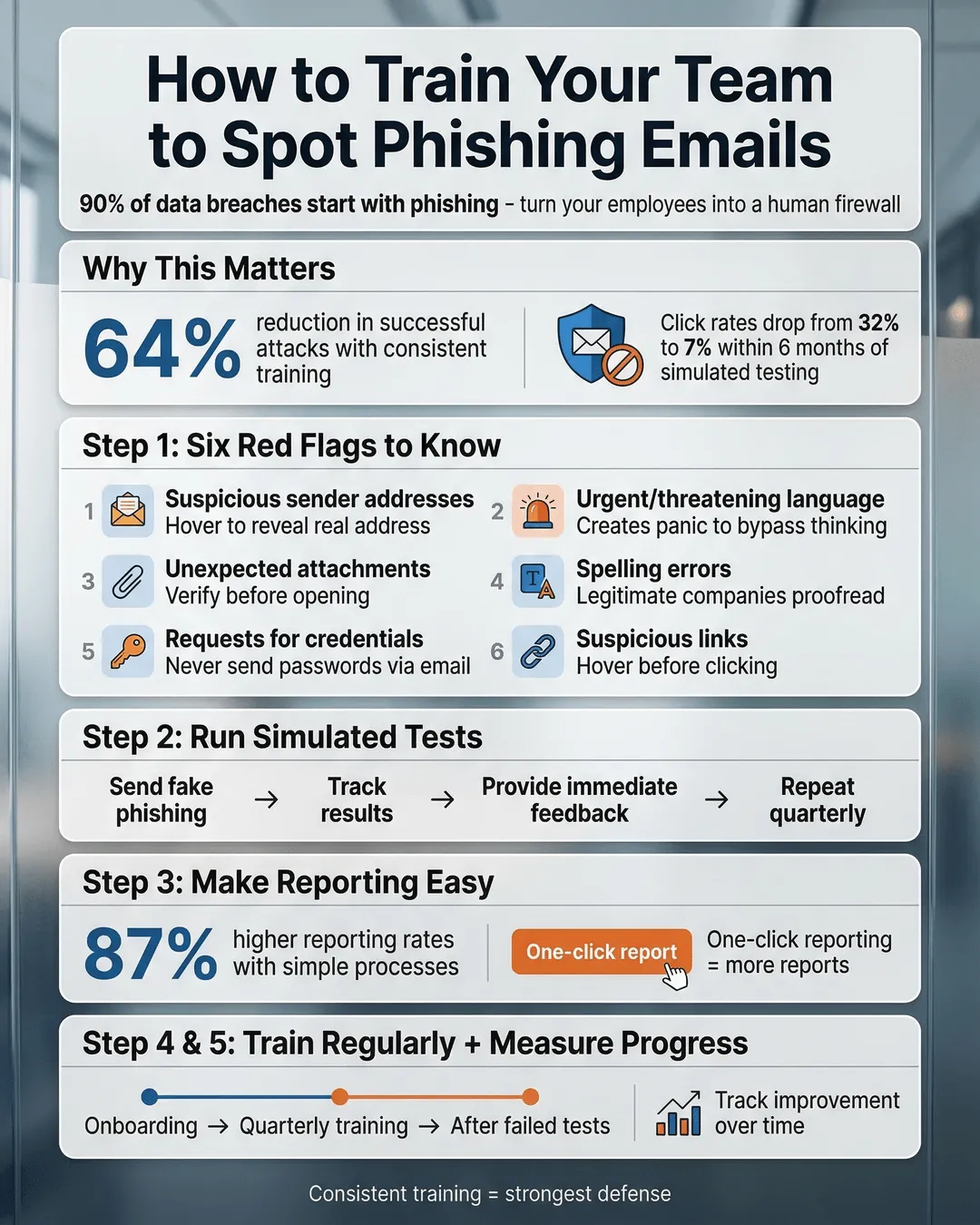
- Phishing awareness training reduces successful attacks by up to 64% when implemented consistently¹.
- Your employees need to recognize six core phishing red flags: suspicious sender addresses, urgent language, unexpected attachments, spelling errors, requests for credentials, and suspicious links.
- Real-world simulated phishing tests are more effective than traditional classroom training alone.
- Training should happen at onboarding and quarterly thereafter, with immediate reinforcement after failed simulations.
- A clear reporting process turns your team from potential victims into active defenders.
Step 1: Start with the Red Flags Every Employee Must Know
Before your team can defend against phishing, they need to know what they’re looking for.
Focus your initial training on six critical red flags that appear in nearly every phishing attempt:
Suspicious sender addresses. The email claims to be from your CEO, but the address is ceo@yourcompany-secure.com instead of the official domain. Train employees to hover over sender names to reveal the actual email address. If something looks off, it probably is.
Urgent or threatening language. Phishers create panic to bypass rational thinking. “Your account will be suspended in 24 hours” or “Immediate action required” are classic manipulation tactics. Teach your team that legitimate organizations rarely demand instant responses via email.
Unexpected attachments or links. If you weren’t expecting a file from someone, don’t open it. Period. This applies even if the sender appears to be a colleague. A quick Slack message or phone call confirms legitimacy.
Spelling and grammar mistakes. Professional organizations proofread their emails. Multiple typos, awkward phrasing, or generic greetings like “Dear Customer” signal amateur scammers.
Requests for sensitive information. No legitimate company will ever ask you to send passwords, social security numbers, or financial data via email. Train this rule into muscle memory.
Suspicious links. Hover before you click. The display text might say “www.microsoft.com” but the actual URL points to a completely different domain. If the destination doesn’t match expectations, report it.
Create a simple reference card with these six red flags. Make it a laminated desk card, a screensaver, or a poster in the break room. Repetition builds recognition.
Step 2: Run Simulated Phishing Tests (And Make Them Count)
Reading about phishing is useful. Experiencing it is transformative.
Simulated phishing tests put your training into practice. You send fake phishing emails to your team and track who clicks, who reports, and who ignores them. Organizations using simulated tests see click rates drop from an average of 32% to 7% within six months².
Start with obviously fake emails for your first test. You’re not trying to trick everyone. You’re establishing a baseline and building awareness. Use common scenarios like fake package delivery notifications, IT password resets, or HR policy updates.
Track the results without shame or blame. The goal is education, not punishment. When someone clicks a simulated phishing link, redirect them to a brief training module explaining what they missed. Immediate feedback creates stronger learning than delayed correction.
Gradually increase the sophistication of your tests. Use your actual company logo, mimic internal communication styles, and reference real projects or events. The best training mirrors real threats.
Run these simulations quarterly at minimum. Phishing tactics evolve constantly. Your training needs to keep pace.
One important note: tell your team upfront that you’ll be running periodic phishing simulations. Transparency builds trust. You’re not trying to catch people. You’re preparing them for actual attacks.
Step 3: Create a Dead-Simple Reporting Process
Your team spots a suspicious email. Now what?
If reporting phishing is complicated, people won’t do it. Full stop. You need a process so simple that reporting takes less effort than deleting the email.
Most email platforms include a “Report Phishing” button that forwards suspicious messages to your IT team with one click. Enable this feature. Train everyone to use it. Make it the default response to anything suspicious.
If your email system doesn’t have built-in reporting, create a dedicated security email address like phishing@yourcompany.com. Employees forward suspicious emails there, no explanation needed. Your IT team investigates and responds.
Respond to every report, even false positives. A quick “Thanks for reporting. This one was legitimate, but you did the right thing” reinforces the behavior. When someone catches a real phishing attempt, celebrate it publicly (without embarrassing anyone who might have clicked).
Security firm KnowBe4 found that organizations with easy reporting processes see 87% higher reporting rates than those requiring multi-step procedures³. Remove friction, increase reporting.
Consider implementing a monthly “Phish of the Month” award for the employee who reports the most sophisticated or dangerous attempt. Small recognition drives big behavior change.
Step 4: Make Training Ongoing, Not One-and-Done
You wouldn’t expect your sales team to attend one training session and never need a refresher. The same logic applies to phishing awareness training.
Cybercriminals constantly develop new tactics. The phishing email that looked suspicious last year might seem legitimate today. Your training needs to be continuous, not a checkbox exercise during onboarding.
Build phishing awareness into your regular rhythm:
Onboarding. Every new employee receives phishing training in their first week. No exceptions. They should understand the red flags before they have access to sensitive systems.
Quarterly refreshers. Brief, focused sessions keep knowledge fresh. Cover new phishing trends, review recent attempts targeting your industry, and reinforce the reporting process. Fifteen minutes every quarter beats a two-hour annual seminar.
Real-time reinforcement. When a sophisticated phishing campaign targets your industry, send an immediate alert with examples. Strike while the iron is hot.
Post-incident analysis. If someone does fall for a phishing attack, use it as a teaching moment for the entire team (without identifying the individual). What made this attempt convincing? What red flags were present? How can everyone improve?
Research from Proofpoint shows that consistent, ongoing training reduces phishing susceptibility by 64% compared to annual training alone¹. Consistency matters more than intensity.
Step 5: Build a Security-First Culture (Not a Blame-First Culture)
The technical steps matter. The cultural foundation matters more.
If your first response to a phishing incident is punishment, you’ve already lost. Employees will hide mistakes instead of reporting them. Unreported breaches cause exponentially more damage than reported ones.
Create an environment where security is everyone’s job, not just IT’s problem. When someone reports a phishing attempt, thank them publicly. When someone clicks a simulated phishing link, treat it as a learning opportunity, not a failure.
Make security conversations normal. Include phishing awareness in team meetings. Share industry news about recent attacks. Ask questions like “Anyone see anything suspicious this week?” Normalize vigilance.
Leadership sets the tone. If your executives ignore phishing training or skip simulated tests, your team will too. Everyone participates, from the CEO down.
Consider appointing security champions in each department. These aren’t IT staff. They’re regular employees who receive extra training and serve as first-line resources for their colleagues. Someone has a question about a suspicious email? They can ask their department champion without feeling like they’re bothering IT.
Companies with strong security cultures experience 52% fewer successful phishing attacks than those relying solely on technical controls⁴. Culture is your multiplier.
Conclusion
Phishing attacks will keep coming. They’re too cheap, too effective, and too easy for criminals to abandon. But a well-trained team transforms your biggest vulnerability into your strongest defense.
Start with the six red flags. Run realistic simulations. Make reporting effortless. Keep training ongoing. Build a culture where security is shared responsibility, not someone else’s problem.
Your firewall cannot click suspicious links. Your antivirus cannot be socially engineered. But your people, when properly trained, can spot threats before they become breaches.
The question isn’t whether your team will face phishing attempts. The question is whether they’ll recognize them when they arrive. These five steps ensure the answer is yes.
Citations
- Proofpoint, “State of the Phish Report,” 2024.
- KnowBe4, “Phishing Security Test Results,” 2024.
- KnowBe4, “Security Culture Research Report,” 2024.
- IBM Security, “Cost of a Data Breach Report,” 2024.